

Our mobile apps are moving to Howarth Software
Everything to do with the apps is being moved across to howarthsoftware.co.uk, our parent site, so that it can focus on the mobile apps and other software. Every app, its screenshots, support, privacy and terms are already there, and that is where new apps will appear first.
Howarth Games, this sister site, covers a lot more: the Commodore 64 games, the studio, the years making gaming machines and the rest of the story.
Recorder
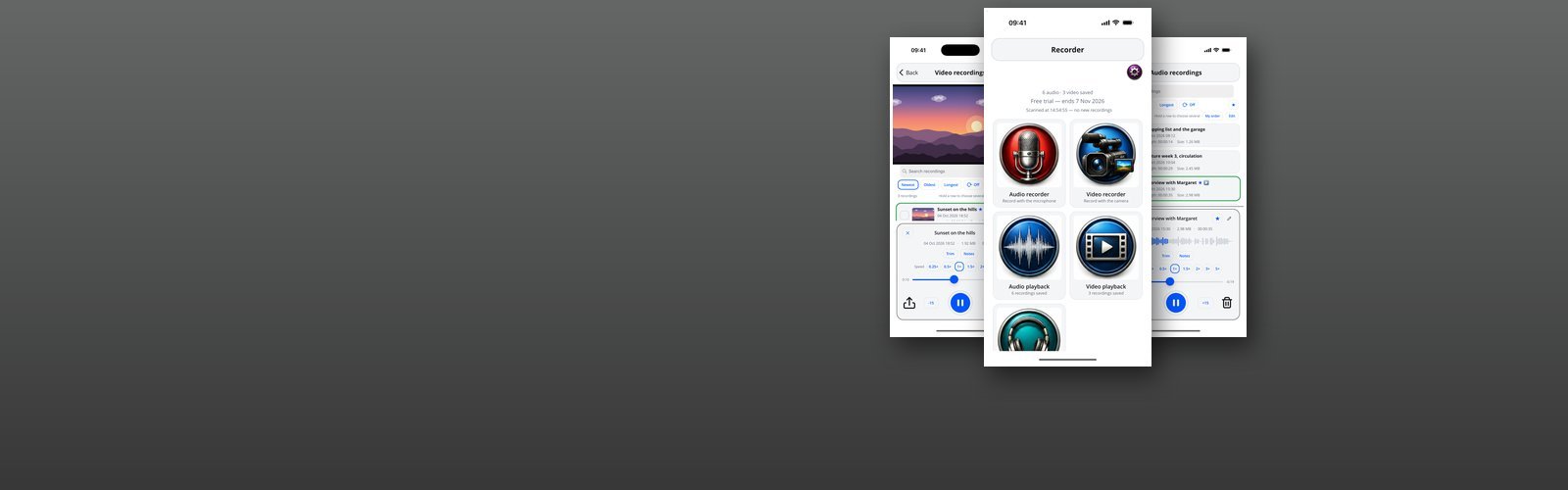
Recorder — listed in the App Store as Media Recorder — is a working iPhone app built around capturing things properly: it records audio, it records video, it takes dictation, and it keeps everything it captures somewhere you can find it again. The home screen is a set of large targets — record audio, record video, dictate, or open either library — with a running count of what is already saved.
Both recorders show you what is actually happening while they run. Elapsed time counts to the second and the file size updates as it grows, so a 4K clip climbing past four megabytes a second is visible rather than a surprise when storage runs out. The live trace is driven by the microphone itself, so a recording made against a muted or refused microphone shows as silence while you can still do something about it. Audio recording can pause and pick up again, has a Mark button for flagging a point of interest without breaking the take, and is written as plain 44.1 kHz WAV; video sessions number their clips. A session that captured nothing is thrown away rather than filed.
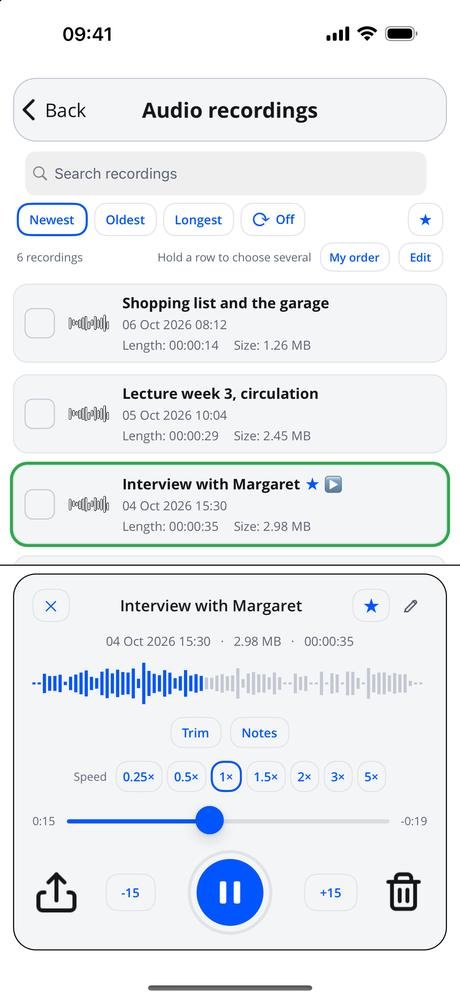
Nothing is saved namelessly. Stopping a recording offers a timestamped name you can replace with a description. The libraries are searchable and sort by newest, oldest or longest, or into an order of your own, with stars on the ones that matter and each row carrying its date, length and size. Playback opens in place with the waveform under the scrubber and the markers on it, fifteen second skips, speeds from 0.25x to 5x, looping, trimming and joining, and it keeps playing with the controls on the lock screen — and if a file has gone missing on disk, the list says so rather than quietly dropping it.
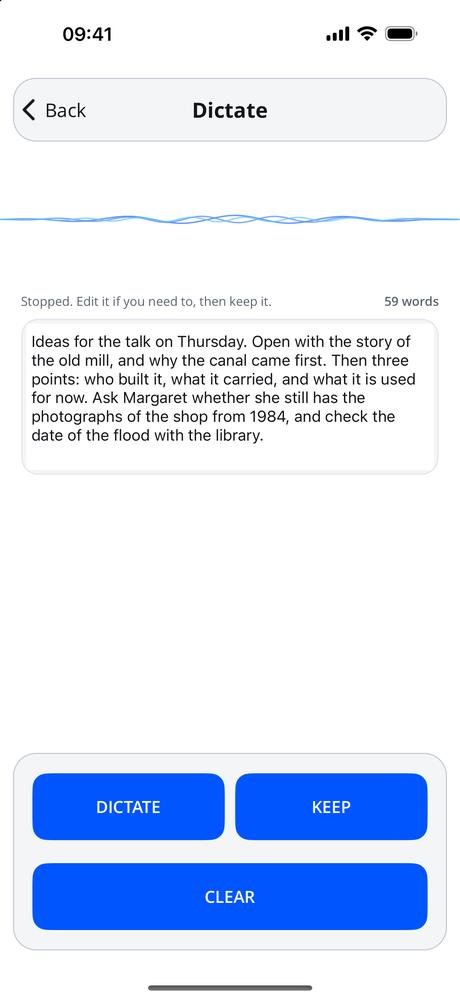
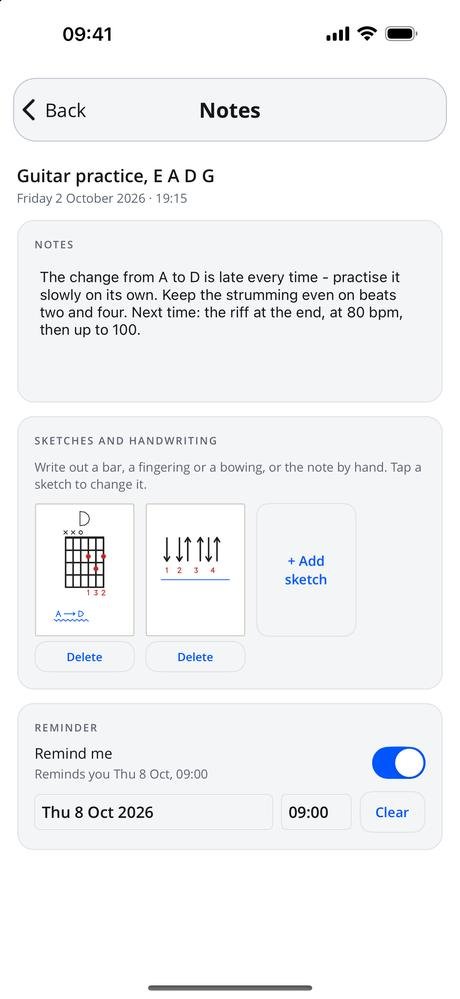
Version 1.2.0 adds the parts that sit around a recording. Dictate puts the words on screen as you speak, to correct in place and keep as a recording with the text alongside. Notes can go on any recording, with sketches and handwriting beside them — a bar, a fingering or a chord, in five colours and three pen sizes — and a reminder on the notes at a date and time you choose. A daily reminder to record skips any day you have already recorded something, and Settings lists every reminder waiting on the phone with a Cancel on each. All of it is set on the phone itself.
- PlatformiPhone, portrait, iOS 15 and later
- Video3840 x 2160 (4K), numbered clips
- PlaybackWaveform, markers, 0.25x to 5x, 15 second skips, trim and join
- NotesDictation, typed notes, sketches and handwriting, reminders
- LibrarySearch, sort, your own order, stars, multi-select, missing file detection
- StatusVersion 1.2.0, submitted to the App Store
What it costs
Audio is free. Recording it and playing it back, the markers, trim and join, notes, sketches and every reminder, for as long as you like and as many times as you like, with no purchase in the app.
A subscription unlocks video — recording it and playing it back — and dictation. It comes in two lengths, monthly and quarterly, and renews until you cancel it at least 24 hours before the end of the period, in your App Store account settings.
Your recordings stay yours either way. They are files on your phone: share them, copy them off, or open them in anything else that plays audio and video, subscription or no subscription. Nothing you record is held hostage to a payment.
- Monthly See the App Store renews every month
- Quarterly See the App Store renews every three months
Prices are not listed here, because they can change. Check the App Store for the up-to-date price, in your own currency, before you subscribe — it is the App Store that takes the payment. Most of the apps give new subscribers an introductory offer: an introductory period at the start, before the first payment is taken. How long it lasts can change, so again, check the App Store for the details.
Nothing you record — audio, video, dictation, notes or sketches — is uploaded anywhere. There is no account to make, no advertising, no analytics and no tracking. The only things that can leave the phone are an email address if you claim access that has been given to it, and a user ID, device ID and purchase history for subscriptions and for push notifications, which are off until you turn them on. Dictation is turned into text on the phone where it can do that itself, and otherwise by Apple’s speech recognition service — never by me. See the privacy policy and the terms of use.
Every screen in the app
Ten screens, three at a time — swipe, or use the arrows and dots. Tap a screenshot to see it full size. The apps are still being developed, so screens may look different in the version you download — these shots are not always updated the moment something changes.
Interested in an app like this, or in something else for iPhone, iPad or Android? Get in touch.