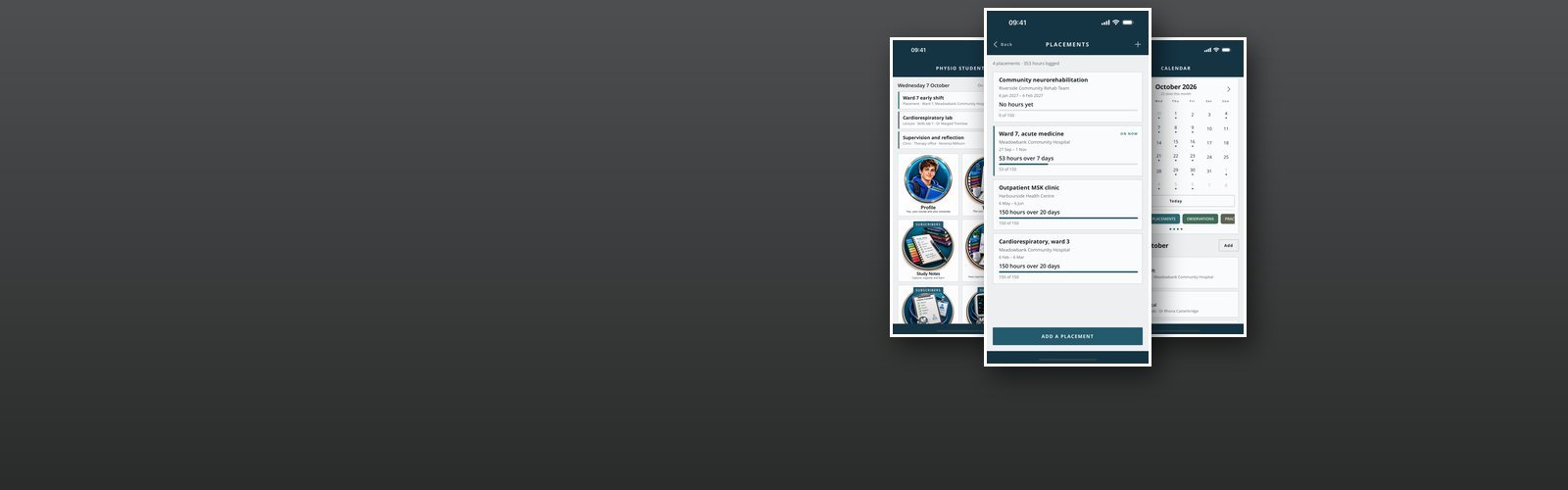


Our mobile apps are moving to Howarth Software
Everything to do with the apps is being moved across to howarthsoftware.co.uk, our parent site, so that it can focus on the mobile apps and other software. Every app, its screenshots, support, privacy and terms are already there, and that is where new apps will appear first.
Howarth Games, this sister site, covers a lot more: the Commodore 64 games, the studio, the years making gaming machines and the rest of the story.
Physio Student
Physio Student is the timetable, the placement record and the notebook a physiotherapy student needs on one phone, or on an iPad.
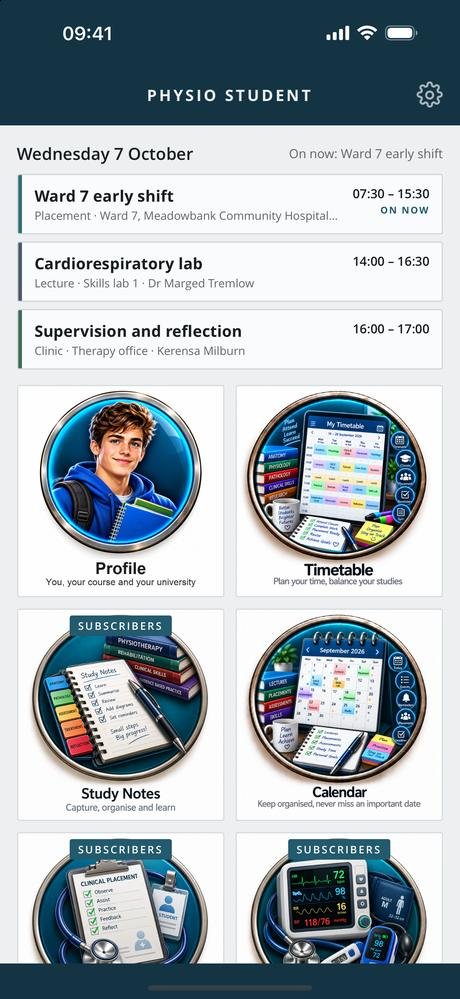
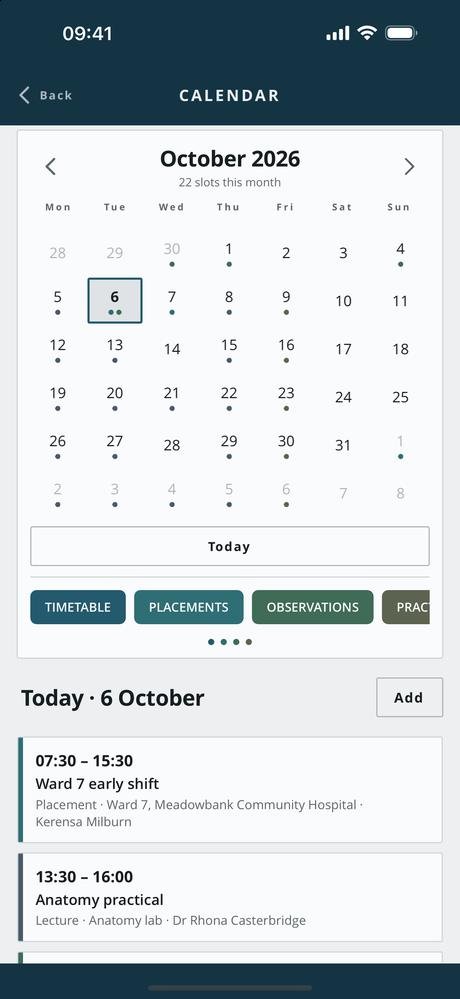
The timetable and calendar hold lectures, placement shifts, clinics, study and exams, each in its own colour, with weekly and fortnightly repeats entered once. Today’s slots sit at the top of the dashboard and the one happening now is marked, because on a placement morning the question is not what the day holds but where you should be standing.
Your profile holds every course you are on, because more than one can run at once: the university, the year, how you study it, your student number, the dates, your personal tutor and the modules. The timetable, the calendar and the profile are free, and stay free.
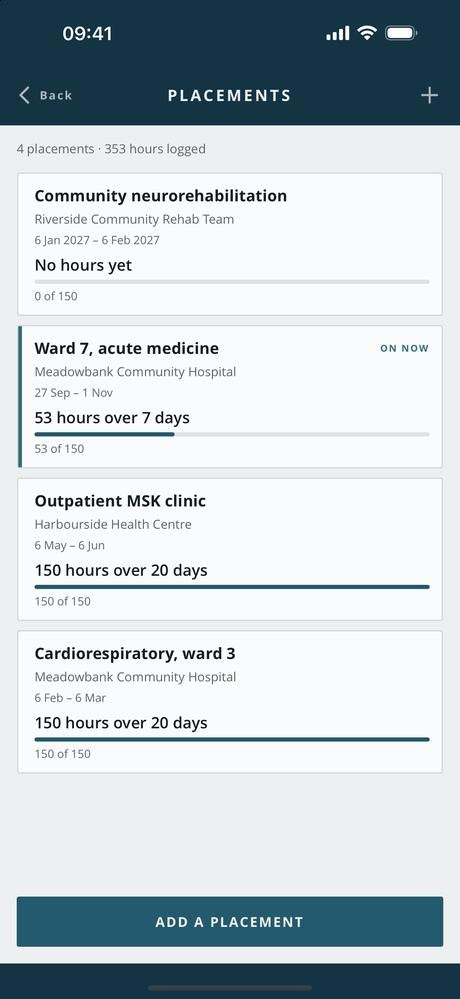
The record-keeping is what you build up over three years. Placements log the hours day by day against the hours required, with a note on each day. Study notes keep what you saw and learned, typed or dictated, with sketches and handwriting — a body chart, a joint, a movement — and a reminder if you want one. Dictation means it can be said on the walk back to the office and the words kept. Observations keep pulse, respiratory rate, oxygen saturation, blood pressure and temperature in sets. OSCE practice runs stations against the clock and keeps how each attempt scored.
Reminders are set on the phone from what you have entered — before a timetable slot, to log placement hours, or on a note. Every queued reminder is listed in Settings and any one can be cancelled, and notifications are off until you turn them on.
Your notes, timetable, courses and records stay on the device, in a database encrypted at rest, and there is no advertising or analytics code in the app. A PIN can be set, and is worth setting: the app can hold notes from placement, and a student’s phone gets handed round a ward office. It is a study aid and not a clinical tool — not a medical device, it diagnoses nothing, it is no substitute for your university’s teaching, your practice educator or your own judgement, and nothing in it should be used to make a decision about a real patient’s care.
- PlatformiPhone (portrait) and iPad, iOS 15 and later
- StorageOn device only, encrypted at rest, PIN protected
- FreeTimetable, calendar and profile with your courses
- SubscriptionPlacements, study notes, dictation, observations, OSCE practice
- ScreensHome, profile, timetable, calendar, placements, study notes, dictation, observations, OSCE, settings
Free, and what a subscription unlocks
The timetable, the calendar and your profile are free, and stay free — a student whose subscription has lapsed still has a shift to get to at half past seven.
Physio Student Full Access unlocks everything else: placements and their hours, study notes with sketches and handwriting, dictation, observations, and OSCE practice. It comes in two lengths, monthly and quarterly, and renews until you cancel it at least 24 hours before the end of the period, from the Manage subscription button in the app or in your App Store account settings.
- Monthly See the App Store renews every month
- Quarterly See the App Store renews every three months
Prices are not listed here, because they can change. Check the App Store for the up-to-date price, in your own currency, before you subscribe — it is the App Store that takes the payment. Most of the apps give new subscribers an introductory offer: an introductory period at the start, before the first payment is taken. How long it lasts can change, so again, check the App Store for the details.
Cancelling takes nothing off your phone. Your notes, placements and observations stay exactly where they are; the paid screens simply stop opening.
What does leave the device is little, and listed: an email address if you claim access granted to it, the details needed to send notifications if you turn them on, and your subscription purchases, used only to keep your access in step. See the privacy policy and the terms of use.
Every screen in the app
Six screens from version 1.0.0, three at a time — swipe, or use the arrows and dots. Tap a screenshot to see it full size. The apps are still being developed, so screens may look different in the version you download — these shots are not always updated the moment something changes.
Interested in an app like this, or in something else for iPhone, iPad or Android? Get in touch.